
How do you market your pharmacy in 2026? Make it easy for the right people to find you, understand the services you offer and take the next step. Then deliver an experience that gives them a reason to come back.
Revamped and updated in September 2026. First published in September 2019, this guide now includes practical advice on AI, pharmacy SEO and LLM search alongside in-store marketing, community relationships, social media and patient communication. Last updated: 24 September 2026.
Marketing your pharmacy effectively matters because an excellent service is only useful to your business if people know it exists. A patient may discover you through a neighbour, a Google search, a social post or an AI-generated answer. They still need accurate information, a clear way to contact or book with you, and a team that can help.
The principles behind this guide have not changed: understand your community, communicate clearly and measure what happens. The tools have changed, and your marketing needs to connect the pharmacy counter with your website, local search presence and digital channels.
For wider audience research, Statista’s UK social media data is one starting point. Check the date, definitions and audience behind any figure before applying it to your own community.
How to market your pharmacy: start with a clear plan
I'm all about giving you as much value as possible while being straight to the point. You do not need to do everything in this guide at once. You need to choose the work most likely to help your pharmacy, give someone responsibility for it and follow through.
Before choosing a channel, answer five questions:
- What are we trying to grow? Choose a service, a suitable retail category or another specific business objective.
- Who is it for? Describe the people you can help, where they are and what they need to know.
- Can we deliver it? Check staffing, appointment capacity, stock and the patient journey before creating demand.
- What should someone do next? Book an appointment, call the pharmacy, visit a service page or come into the store.
- How will we measure success? Decide which enquiries, attended appointments or sales matter, and record a starting point.
For example, a campaign for an earwax removal service could connect a clear service page, local search visibility, an in-store poster and a booking link. Each part should use consistent information and lead to the same next step. That is more useful than publishing unrelated posts simply to keep your channels busy.
In-store marketing
1. Train your pharmacy team
Your pharmacy team is central to your marketing. A helpful conversation can make someone aware of a service they did not know you offered. An uncertain or confusing explanation can undo the work of a good campaign.
Give the team a short, practical briefing whenever you promote something: what the service is, who should speak to a pharmacist, how to book, what it costs where applicable and when appointments are available. Make it easy to find the answer rather than expecting everyone to remember every detail.
The aim is appropriate help and excellent service. Avoid pressure to sell, promises about treatment outcomes or targets that encourage unsuitable recommendations. Ask the team which questions patients repeatedly raise and use those questions to improve your marketing.
For structured team development, Mediapharm offers pharmacy training and tools for tracking learning. Match the courses to each person’s role and the skills your team needs to explain and deliver your services.
2. Use clear in-store marketing collateral
Posters, leaflets, brochures, business cards and banners still have a place. However, it is not about putting more material everywhere. Minimal and clear is usually a better starting point than a window full of competing messages.
Give each item one main message and one action. A poster could explain a service and direct people to speak to the team or scan a QR code to its booking page. Include a readable web address or phone number for people who cannot use the code.
Check that the destination works on a phone, that the service is actually available and that outdated materials are removed. Make sure the message on the poster matches your website and the briefing your team has received.
3. Improve the experience inside your pharmacy
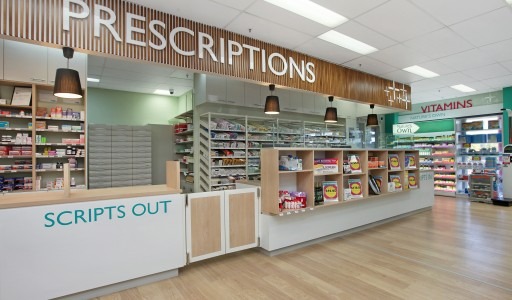
Your pharmacy's design is part of the impression you create. Lighting, clear signs, uncluttered counters and an obvious route to the consultation room all help people understand how to use the space.
Start by walking through the pharmacy as a first-time visitor. Can someone see what you offer, where to ask for help and whether a private conversation is available? Consider accessibility and privacy alongside the appearance of the shop floor.
T3 Pharmacy Design is a specialist option to explore when planning your space. Chris Jones, the contact featured in the original guide, is another useful connection. Take a clear brief covering workflow, consultation space, accessibility and the patient experience.
4. Make digital displays useful
A digital display can give you a flexible way to explain services and update seasonal messages. Use large, readable text, strong contrast and enough time for someone to understand each slide. A waiting patient should not have to watch an entire loop to discover how to book.
Match the messages to what your team can deliver that week. Keep clinical claims checked, remove expired offers and make sure the screen does not expose any patient information. Movement alone is not a marketing strategy; the message still needs to be useful.
Healthpoint TV provides digital screen solutions used by pharmacies to communicate services, products and health information. Ask to see relevant examples and how your team can request content changes, schedule campaigns and keep messages current.
5. Use a suitable loyalty scheme
A loyalty scheme may help a suitable retail offer, but design it around the products and transactions you are permitted to promote. Do not copy a supermarket promotion across prescriptions or regulated services without checking the rules that apply.
Keep the terms understandable and work out the cost of the reward. If the scheme is digital, explain what information you collect and separate joining the scheme from any marketing permissions you request.
6. Hold relevant in-store events
Could you run an event that answers a genuine local need? It might introduce your team, explain an available service or support a community health initiative. Choose something you can deliver well, rather than committing to an event every month regardless of demand.
Plan the invitation, staffing, privacy and follow-up. Promote the event through the channels your audience uses, and explain clearly whether booking is needed. Ask attendees what they found useful and use that feedback when planning the next one.
Eventbrite can help you publish an event and manage registrations. Meetup can help you find relevant local groups and events. Choose the option that fits your audience and check fees and registration settings before promoting it.
7. Connect suitable retail products with local online discovery
Someone looking for an everyday product nearby may not know that you stock it. Where the platform permits the product category, accurate online listings can help connect that search with your physical store.
Check prices, stock information and collection arrangements before promoting availability. If a stock-feed provider connects your EPOS or catalogue with another platform, establish which products are included, how often the feed updates and what happens when an item sells out. Medicines and other restricted categories need particular care.
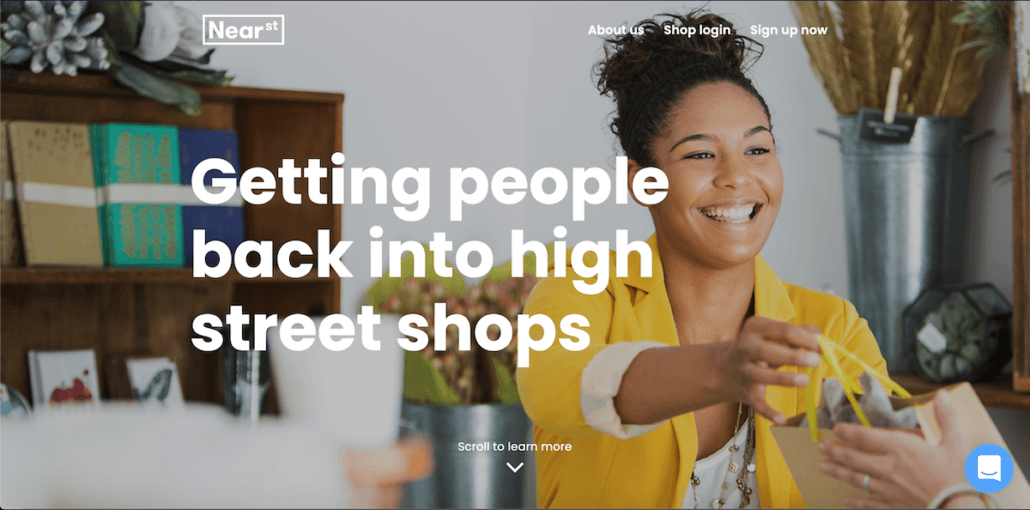
NearSt connects in-store inventory with online discovery, including Google product listings. It is worth exploring if people search locally for suitable products you already stock. Check EPOS compatibility, eligible categories, stock accuracy and current setup and subscription costs. Ask NearSt which pharmacy products are eligible under current Google policies; do not assume your whole catalogue can be promoted.
Direct marketing and community relationships
8. Give patients clear ways to communicate
Keep telephone and face-to-face support available while making appropriate digital options easy to find. Explain what each channel is for, when it is monitored and how quickly someone should expect a response.
A general enquiry form, secure patient portal or approved messaging service may reduce repeated calls, but only if the team can manage it. Do not invite sensitive clinical details into an ordinary social media inbox simply because it is convenient.
Service messages and marketing messages are different. A person giving you a number for an appointment does not automatically give permission for promotional texts. For marketing emails, texts and similar messages to individuals, check consent or whether a valid exception applies, identify the sender and provide a straightforward way to opt out. See the ICO's electronic marketing guidance.
WhatsApp Business is an option for business enquiries where your pharmacy has approved how it will be used. Choose channels around the patient journey, staff capacity and your information-governance requirements, rather than opening an inbox your team cannot monitor.
9. Use your PMR and CRM appropriately
Your PMR supports dispensing and medication records. A customer relationship management system, or CRM, can support enquiries and communication. Some products connect these functions, but check what is actually available and appropriate for your pharmacy.
Ask how consent preferences, access permissions and opt-outs are recorded and shared. Do not assume you can turn a dispensing record into a marketing audience. The use of health information for marketing requires particular care; the ICO's planning guidance addresses special category data and explicit consent.
If you are considering a change, our 2026 comparison of pharmacy PMR systems covers nine suppliers and questions to ask during a demonstration.
If CRM is new to you, Salesforce’s introduction to CRM explains the basic concept. Use it as background reading; a general business CRM is not automatically suitable for clinical records or pharmacy marketing data.
10. Make mailshots specific and measurable
A leaflet drop can still be useful when it reaches the right area with a relevant message. Start with a manageable campaign, a clear service offer and a destination that explains the next step. Avoid covering every inch of the leaflet with everything your pharmacy does.
Use a dedicated web address, QR code or booking-source question to help understand the response. Compare the cost with the enquiries and attended appointments it produces, recognising that attribution will not be perfect.
Think about business relationships too. A factual introduction to your pharmacy and its relevant services can help local organisations understand when to signpost people to you. If you need help planning a campaign, speak to the Pharmacy Mentor team.
11. Build relationships with local organisations
I remember working for Boots in Sheffield as a newly appointed Pharmacy Store Manager. One tactic I used was to visit local GP surgeries and businesses, introduce myself and leave information about the pharmacy. That experience is still relevant: people are more likely to understand your service when they know who you are and how to contact you.
In 2026, combine those conversations with a useful digital resource. Provide an accurate service page or a short information sheet explaining availability, access and the appropriate contact route. Listen to the organisation's needs rather than treating the visit as a sales pitch.
Keep signposting arrangements appropriate, avoid implying an endorsement or formal partnership that does not exist, and make sure the information stays current.
12. Attend local events and network
Community events, business groups and local charities can help you understand the area you serve. Choose events where you can make a useful contribution and meet people who are relevant to your pharmacy.
Bring something helpful: a clear explanation of your services, a contact card or an invitation to a suitable event. Follow up on agreed actions. Do not add everyone you meet to an email list without considering the relevant marketing permissions.
Search Eventbrite and Meetup for local business and community events, as well as checking your chamber of commerce and community organisations directly.
Digital pharmacy marketing
13. Use Facebook and Instagram with a purpose
Social media works best when it helps people recognise your pharmacy and understand what you can do for them. A useful mix might include staff introductions, explanations of the consultation process, opening-hour changes, community activity and answers to common non-personal questions.
Create content you can sustain. A clear video showing where to enter for an appointment can be more useful than a stream of generic health graphics. Obtain the appropriate permission for identifiable people and never film patient information in the background.
Organic posts take time to build an audience. Paid campaigns can extend distribution, but neither reach nor an attractive engagement rate proves that a campaign has produced suitable bookings. Give each campaign a relevant destination and measure the next step. Read more about our social media approach for pharmacies.
From the original guide: a Pharmacy Mentor video on social media. Use the updated written guidance here for current planning; platform features and advertising rules can change.
14. Invest in pharmacy SEO and local search
Search engine optimisation, or SEO, helps people find useful pages when they search for what you offer. For a community pharmacy, the work should connect your local presence with clear information about your actual services.
Start with your Google Business Profile, the current name for Google My Business. Keep your address, phone number, opening hours, categories, service information and website links accurate. Add useful, current photographs and respond professionally to reviews without revealing patient details. Ask for honest feedback rather than selecting only happy patients or rewarding positive reviews.
Google describes local ranking in terms of relevance, distance and popularity. You cannot buy a better local ranking, and good optimisation does not remove the effect of a searcher's location. See Google's local ranking guidance.
Keep relevant directory entries accurate too, including Yell and Yelp where you have a listing. For pharmacies in England, use NHS Profile Manager to keep NHS website and Directory of Services details current. This replaces the old “NHS Choices” terminology used in the original guide.
For your website, work through these priorities:
- Give each genuine service a useful page. Explain who the service is for, where it is available, what the appointment involves, relevant costs and how to book.
- Make the local details specific. Include the correct branch, access information and service availability. Avoid copying the same page across dozens of place names.
- Make expertise visible. Identify the author or reviewer of health content, check factual claims against appropriate sources and record meaningful updates.
- Make the website usable. Check mobile layouts, readable text, working links, page speed and the booking journey. Ask your web team to resolve indexing and canonical problems.
- Write supporting articles that answer real questions. Link them to the relevant service page and check whether an existing page already answers the topic before creating another.
These recommendations reflect Google's guidance on helpful, reliable content. For more pharmacy-specific detail, explore our SEO for pharmacy guide.
Archive video from the original guide. It uses the earlier Google My Business name; the product is now Google Business Profile.
15. Use paid advertising where it fits
Paid search can help you reach people actively looking for a relevant service. Start with a defined location, a suitable landing page, a realistic budget and a way to measure enquiries or bookings. Review the search terms attracting clicks and whether those visitors can actually use your service.
Healthcare campaigns need more care than a general retail advert. Google restricts some healthcare content and requires approval or certification for certain activities. Its healthcare and medicines advertising policy applies to both ads and their destinations.
In the UK, prescription-only medicines cannot be advertised to the public. Calling something a consultation or a service does not make an implied promotion of a prescription medicine acceptable. Check the wording, imagery, offers and landing page together against ASA and CAP guidance.
Assess the cost of attracting an attended appointment, not just a click. An advertising return is not the same as profit: staffing, fulfilment, cancellations and campaign management all affect the result. Our guide to Google Ads for pharmacy services provides further context.
When launching a service with support from a provider such as Pharmadoctor, make sure the relevant training, clinical arrangements and booking process are in place before starting a campaign. Check the provider’s current service package and promote only what your pharmacy is ready to deliver.
16. Make your pharmacy website the centre of the journey
Do not invest in marketing that sends people to a confusing website. Your site should explain your pharmacy's services, establish trust and make the next step straightforward on a phone.
Check the essentials: accurate contact and registration details, current opening hours, clear service pages, accessible text, working forms and visible booking or enquiry options. Where you support prescription requests, online purchases or secure messaging, explain which service the visitor is entering and what happens next.
Information that matters should be available as readable text, not only inside a graphic or video. A visitor should be able to find the service location, likely cost and contact route without opening several different pages.
Explore our pharmacy website design approach when reviewing your own site.
17. Make online booking easy and reliable
Online booking should reflect your real capacity. Show the relevant service, branch, appointment length and any information the patient needs before booking. Test the journey from the link in an advert or social post right through to the confirmation.
Check how reminders, cancellations, accessibility needs and staff availability are handled. Avoid collecting clinical information in general marketing tools when it belongs in an appropriate clinical system.
A booking platform makes measurement easier, but it does not guarantee appointments, attendance or five-star reviews. Track the whole journey and ask your team where people get stuck.
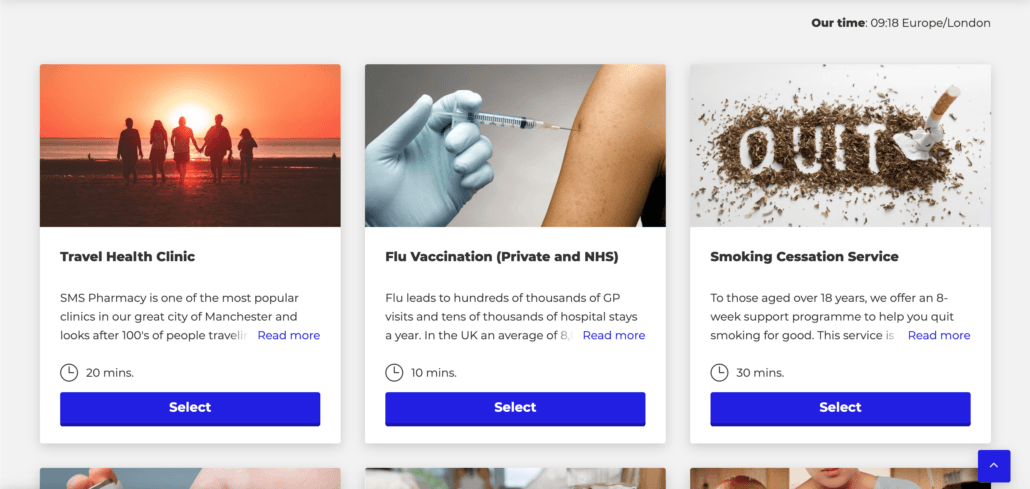
SimplyBook.me is one booking platform to explore. Compare it with your existing pharmacy systems and check reminders, cancellations, data handling and integration requirements. Use the current product information when choosing a plan, rather than relying on the historical screenshot below.
18. Choose other social channels selectively
You do not need to be everywhere. Consider where your intended audience spends time and whether you have the capacity to contribute consistently. A professional audience may call for a different approach from a local community group.
Short videos can explain a process or introduce the team; professional posts can support relationships with local businesses. Whichever channel you use, keep health claims checked, moderation practical and personal clinical questions out of public replies.
Test one clear format, look at the response and improve it. Opening more accounts is rarely the first solution to a weak marketing plan.
Examples from the original guide remain useful starting points: LinkedIn for professional connections, TikTok for short-form content, Nextdoor for neighbourhood activity and WeChat where your community uses it. Choose based on the people you serve and check each platform’s current rules before publishing or advertising.
AI and pharmacy marketing in 2026
19. Use AI to assist your team
AI can help with the time-consuming parts of marketing: organising ideas, preparing first drafts, turning an approved article into a short video outline or suggesting clearer wording. The useful starting point is your pharmacy's verified information and your team's experience.
For example, give an approved service description to your chosen tool and ask for a draft email, a social caption and a poster headline. Then check each output for accuracy, tone, claims and the next step it asks the reader to take.
Example brief: “Using only the approved service information below, draft three short social posts for our pharmacy. Do not invent prices, eligibility, availability, clinical claims or patient stories. Mark any missing information for us to supply.”
Build a simple workflow: a person supplies the facts, AI helps prepare material, the appropriate person reviews it, and an authorised team member publishes it. Have clinical statements reviewed by an appropriately qualified professional. Check sources yourself; a plausible-looking reference can still be wrong.
Do not upload identifiable patient records, consultation notes or dispensing data into an unapproved AI tool. Before introducing a tool into the business, establish what data it receives, who can access it and whether its use fits your pharmacy's information-governance arrangements.
AI also makes it easy to create a large volume of generic pages. That is not a reason to do so. Google warns that generating many pages without adding value may breach its scaled-content spam policy. Its guidance on AI-generated content emphasises quality, accuracy and relevance.
20. Make your pharmacy useful in LLM and AI search
Large language models, or LLMs, power conversational tools that can help people research questions and compare options. Examples include ChatGPT's web search and Perplexity. Alongside conventional results, Google offers AI Overviews and AI Mode. Consider how your pharmacy is described when people explore a question through these experiences.
You may hear this work called generative engine optimisation (GEO) or answer engine optimisation (AEO). For Google, the foundation remains SEO: accessible pages, reliable content and a good experience for visitors. Google does not require a special AI schema or an llms.txt file to appear in its generative search features. Read its current generative AI optimisation guidance.
For a pharmacy, apply those principles to the questions people actually need answered:
- Describe the real service. Explain what is offered, where, by whom and how someone can enquire or book. Make restrictions and current availability clear.
- Answer practical questions. For an appointment, explain preparation, access, payment and the next step. Use questions your team actually receives.
- Show what is specific to your pharmacy. Include your team, premises, accessibility information and genuine local knowledge. Avoid pages that could describe any pharmacy in any town.
- Keep your business information consistent. Your website, directory entries and business profiles should agree on the basic facts.
- Make the content available to read. Use clear headings and useful paragraphs alongside images. Ask your web team to check indexing and the relevant crawler controls.
Google now documents a Search generative AI control in Search Console. Inclusion is the default for top-level properties, while child properties can inherit a setting. Ask your website team to confirm that the effective setting matches your visibility goals.
Other AI search services have their own retrieval methods and controls. Being accessible makes your information available for consideration; it does not guarantee a recommendation, citation or booking. There is no reliable promise that a particular wording trick will make every assistant recommend your pharmacy.
Keep a small set of relevant questions for observation, record the date and the sources shown, and compare those observations with real enquiries. A single answer can vary and is not a complete measure of visibility. Our guide to generative engine optimisation for healthcare explores the subject further.
Measure the results that matter
You cannot talk about marketing without talking about analysis. Start with the outcome you chose in your plan and work backwards through the journey: attended appointments, completed bookings, suitable enquiries and visits to the relevant page.
Use your booking and sales records alongside your website analytics. Search Console can show how people discover pages in Google. Its Generative AI performance report provides a further view of appearances and clicks in Google's generative search features. That data overlaps with Web search performance, so do not simply add the two reports together.
For other AI services, review identifiable referral traffic where available, but recognise that it will not capture every influence on a patient's decision. An optional “How did you hear about us?” question can add useful context.
Review a short set of measures each month:
- Enquiries and attended appointments for the service you promoted.
- Website visits and completed actions on the relevant service page.
- Campaign spend and cost per suitable enquiry or attended appointment.
- Cancellations, capacity and the operational cost of delivering the service.
- Patient feedback and the questions the team keeps receiving.
Keep clinical details out of general analytics events and advertising audiences. Your measurements should help you improve the journey without exposing patient information.
Turn the guide into a 90-day pharmacy marketing plan
Days 1–30: get the foundations right
Choose one priority, record the starting position and check capacity. Correct your website and business-profile information, test the booking or enquiry journey and brief the team.
Days 31–60: run a connected campaign
Bring the service page, in-store materials, appropriate social content and community outreach together. Use AI for approved drafting tasks if it helps your team. Introduce paid activity only where the offer, permissions and measurement are ready.
Days 61–90: review and improve
Compare enquiries, attendance and costs with your starting point. Ask what patients found confusing. Improve the weak step before expanding the campaign or adding another channel.
Frequently asked questions about pharmacy marketing
What is the best way to market a community pharmacy?
Start with a service your pharmacy can deliver well, make its information and booking route clear, and connect local search, your team and community communication around it. The best mix depends on your audience, capacity and objective.
Does AI search replace pharmacy SEO?
No. Google says established SEO practices remain relevant to its AI search features. Build useful service information and a technically accessible website, then assess AI visibility alongside conventional search and actual enquiries.
Can AI write our pharmacy marketing content?
It can help prepare drafts from approved information. A person still needs to check the facts, claims, suitability and privacy implications before publication. AI-generated text should not be treated as clinical approval.
How much should a pharmacy spend on marketing?
There is no single budget that fits every pharmacy. Start with your objective, capacity and the value and cost of delivering the service. Set a manageable test budget, include the time needed to respond to enquiries and review the results before increasing spend.
Get help with your pharmacy marketing
My name's Saam, and I wrote the original version of this guide. The aim of this September 2026 revamp is the same: help you make better decisions about how to market your pharmacy.
If you would like help turning these ideas into a practical plan, get in touch with Pharmacy Mentor. We can discuss your priorities, website, SEO, content and patient journey, and help you decide where to focus next.

Saam Ali
Founder & CEO, Pharmacy Mentor · MRPharmSSaam Ali is a pharmacist, digital strategist and the founder of Pharmacy Mentor. He has worked across community pharmacy, healthcare marketing and digital product development since 2012, helping independent pharmacies build modern online services and reach more patients.